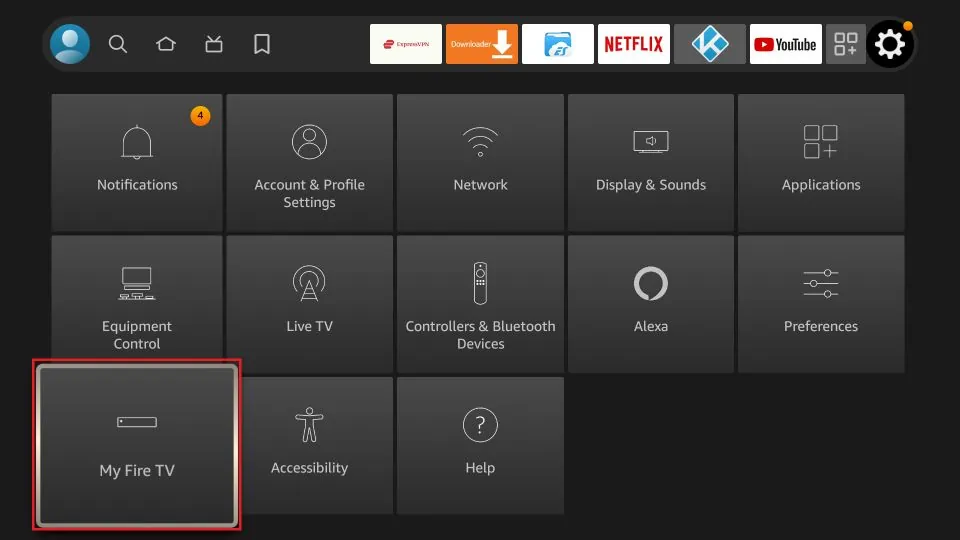
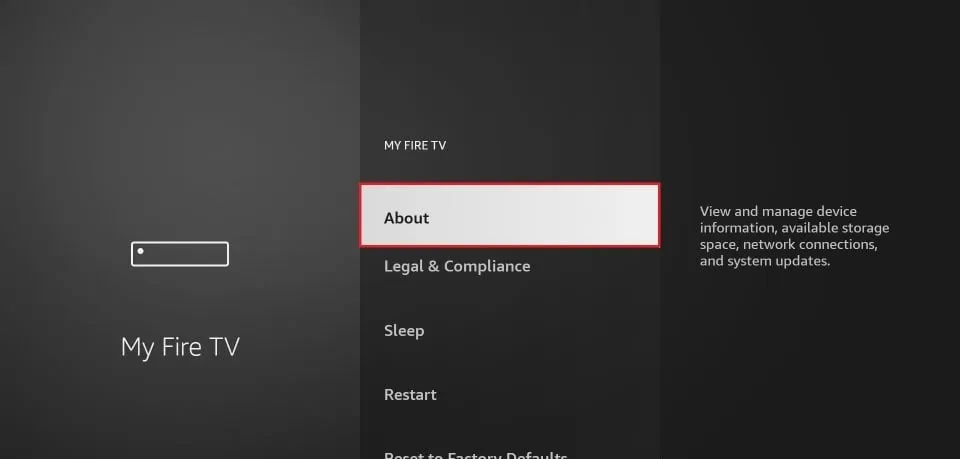
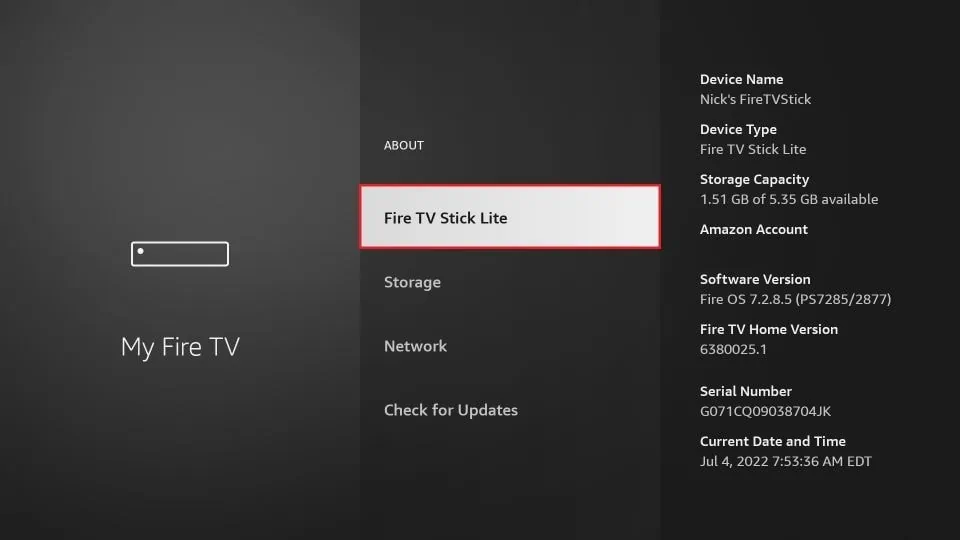
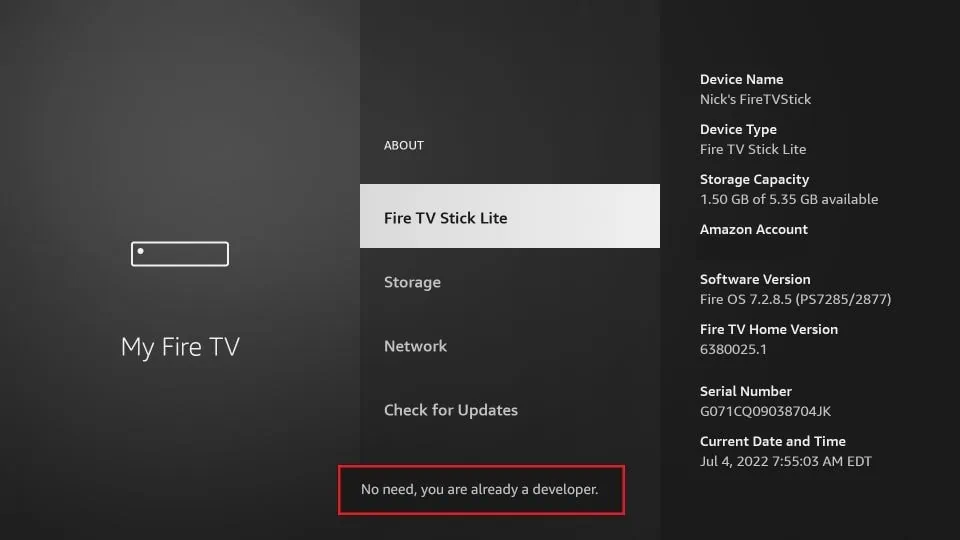
Installation Guide IPTV Smarters Pro on FireStick Part 1: Enable Developer Options First, you need to enable Developer Options on your Fire TV Stick: 1. Select FireStick Settings. 2-Click My Fire TV. 3. Click "About" (only if you do NOT see Developer Options on this screen). 4. Quickly click on your Fire TV Stick 7 times. 5. You will receive a notification stating: "No need, you are already a developer." 6. Press the Back button once or go back to Settings > My Fire TV. You will now see Developer Options. Part 2: Install IPTV Smarters Pro Since IPTV Smarters Pro is not available in the Amazon Store, it must be installed manually using the Downloader app: On the home screen, click the magnifying glass > Search. Search for “Downloader” and install it. Enable permissions for unknown apps by going to Settings > My Fire TV > Developer Options > Install Unknown Apps and enabling Downloader. Sideload IPTV Smarters Pro APK 1. Open the Downloader app. Enter the path firesticktricks.com/smarter and click "Go". 3. Wait for the download to complete and click "Install". 4. After the installation, click DONE and delete the APK file to free up storage space. How to Use IPTV Smarters on FireStick To create a shortcut, press the Menu button (3-line button) on the remote and click Move to move the app to the top shelf. When you open the app for the first time: Accept the Terms of UseClick on ADD NEW USERSelect “Login with Xtream Codes API”.Enter the data sent via email. If you have not subscribed yet, you can do so here: ipplaytv.store